Say it.
It’s typed.
Your voice becomes text, in every app you use. Press the key, speak, press it again: the words land where your cursor already was.
- macOS 15+, Apple Silicon
- v4.0.0
- 21 MB
- Notarized by Apple
Voice It is a macOS app. Open this page on your Mac to install it.
One menubar icon, and a window you rarely open.
Voice It has no dock icon and no window in your way. It waits in the menubar, wakes on your shortcut, and pastes the transcript at your cursor: Slack, Xcode, a mail draft, a Finder rename field, an AI prompt.
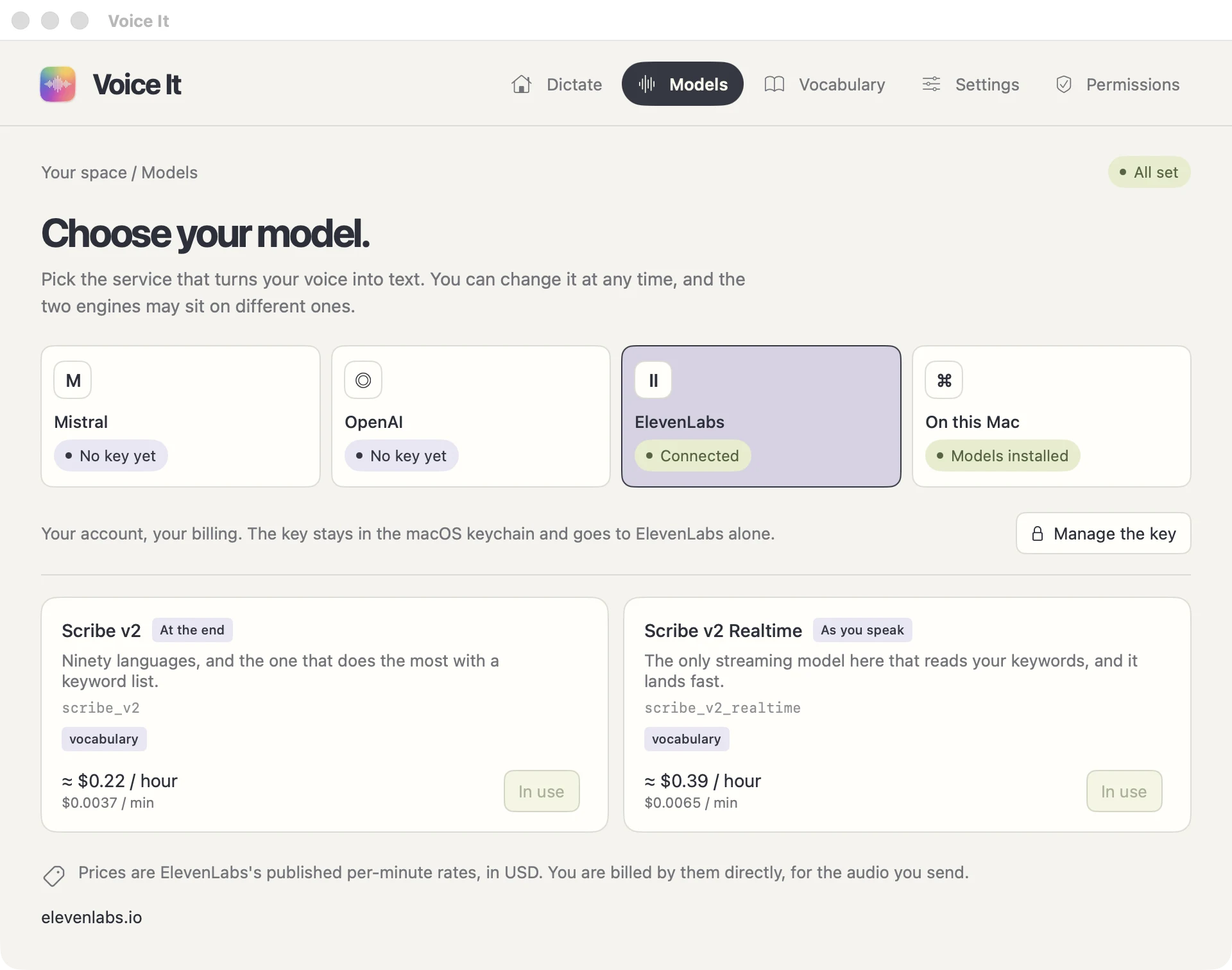
The one window it does have is this: pick the service that transcribes you, set the shortcut, and keep a list of the words you want spelled right.
What a dictation looks like.
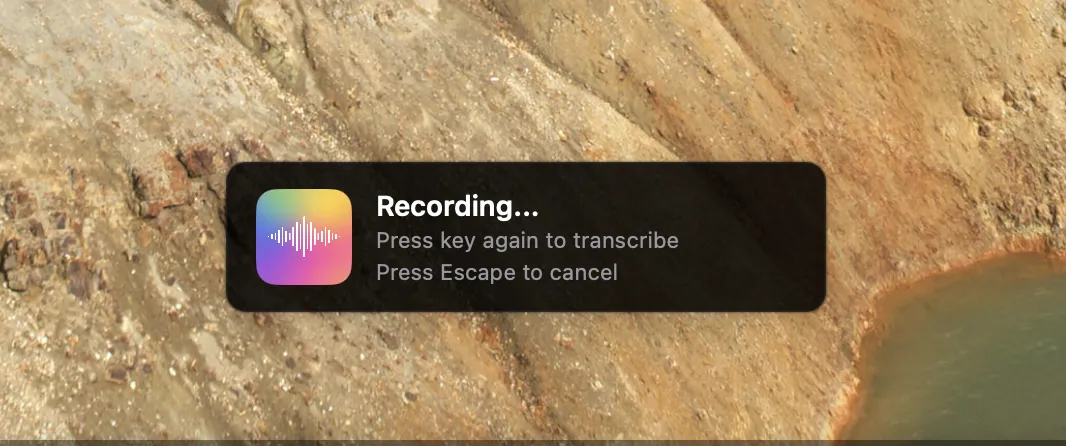
Press the right Command key, say your thing, press it again. The recording stops, the text arrives, and you never left the app you were in. Escape throws the recording away instead.
-
It pastes, it does not pop up
No window opens, no clipboard to babysit. If a text field takes a keyboard, it takes your voice.
-
A toast, and nothing else
The menubar icon changes while you speak, and a small panel confirms what is happening. That is the whole interface.
-
The shortcut is yours
Right Command out of the box. Press another key on the Settings page and that one takes over.
Two engines, and only one of them runs.
One-shot uploads the finished recording and hands you the whole thing. Live streams over a websocket and writes while you are still talking. Same clock below, same sentence: the only difference is when the text shows up.
At the end
One-shotYou are speaking
Let’s ship it tomorrow morning. still recording, nothing sent yet uploading the recording…
The text arrives once you are done. You stop, the recording goes up, the whole sentence comes back.
As you speak
LiveYou are speaking
Let’s ship it tomorrow morning.
The text appears while you are still talking, piece by piece, over an open websocket.
Who can stream
Not every model does live, and the app marks the ones that do. The two engines are independent, so live can sit on one provider while one-shot sits on another, and a live session that drops can hand the recording to your one-shot model instead.
Your key, your bill. Or no bill at all.
Voice It sends your audio to the service you pick, with the key you pasted, and stays out of the way. The list of models moves as the providers ship new ones, so it lives in the app rather than on this page, with every price next to the model it belongs to.
Mistral
Your own key, billed by them
OpenAI
Your own key, billed by them
ElevenLabs
Your own key, billed by them
On this Mac
No key, no bill, no network
What the remote ones cost
The providers publish per-minute rates in USD and bill you directly, with nothing marked up in between because there is no invoice from us. Today the models in the app run from ≈ $0.18 / hour to ≈ $1.02 / hour of talking. Your key is stored in the macOS keychain and goes to that provider alone.
The ones on your Mac cost disk, not money
Some models are downloaded once from HuggingFace and run on the Neural Engine through FluidAudio. No key, no account, no request leaving the machine. The app lists what each one knows: its languages, its word error rate on a public benchmark, and its speed.
Where your voice actually goes.
Two paths, and you choose which one by choosing a model. There is no third path, and no account, no telemetry and no analytics anywhere in either.
With a Mistral, OpenAI or ElevenLabs model
The recording leaves your Mac for that provider over TLS and the text comes back the same way, with your own key and under your own account. No server of ours sits on either hop, because there is no server of ours. You are billed by them directly, for the audio you send.
With a model on this Mac
Nothing leaves the box. The model was downloaded once and runs on the Neural Engine, so transcribing needs no connection at all: no key, no bill, no request.
The words only you use.
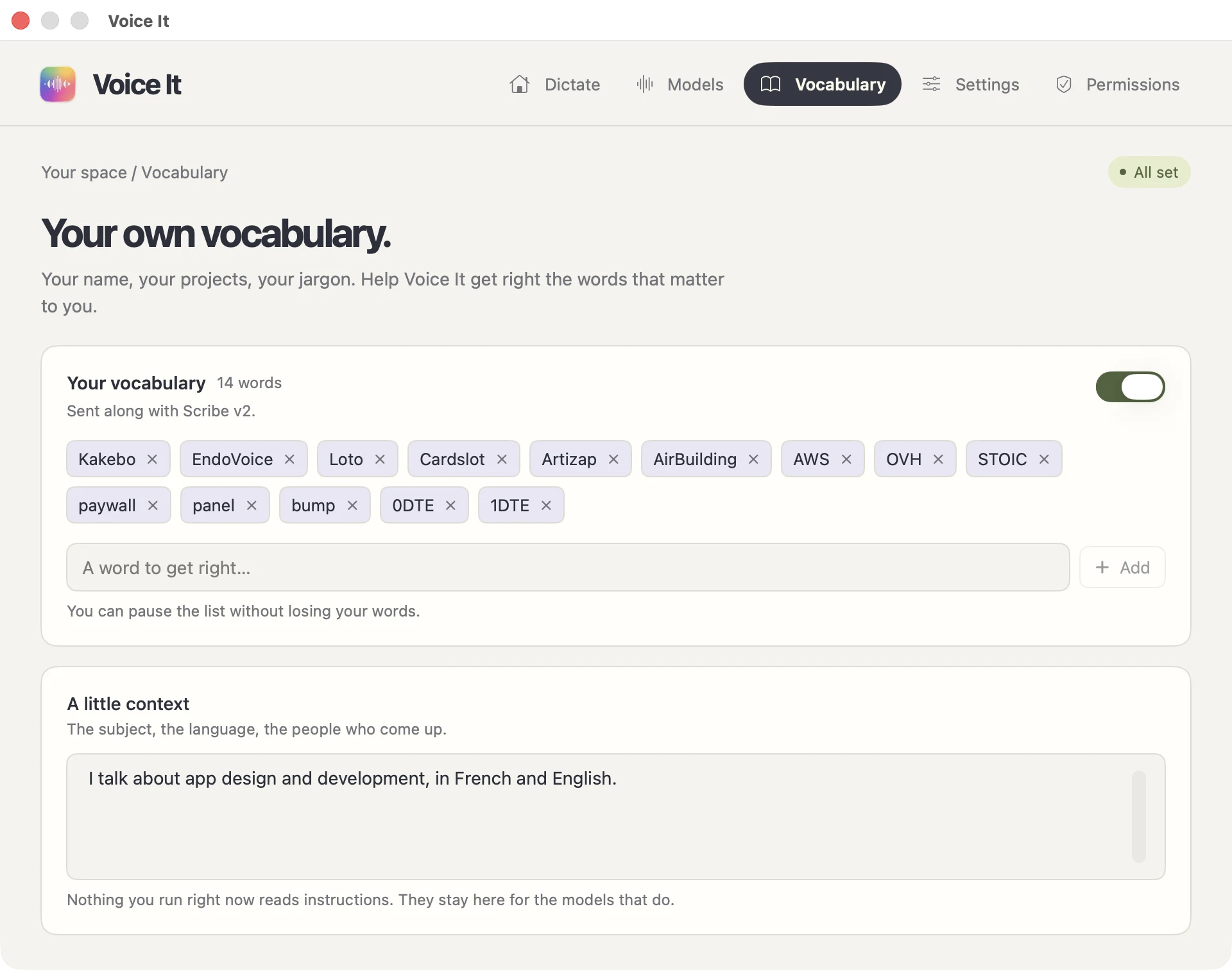
Your name, your projects, your jargon. A word list and a paragraph of context, handed to whichever model reads them, so the transcription stops mangling the terms that matter to you.
A word to get right
The remote models take the terms in a field of their own. The local ones get them back into the transcript through a small keyword spotter that ships with every one-shot download. And the list has its own switch, because remote models sharpen up on it while local ones often come back worse.
Two permissions, and you can dictate anywhere.
No account to create, no email to confirm, nothing to cancel later.
-
01 Drag it to Applications
It opens like any other Mac app, and keeps itself up to date.
-
02 Say yes to two prompts
The microphone, to hear you. Accessibility, to catch the shortcut and paste the text.
-
03 Choose a model
Paste a provider key, or download one that runs here and skip the key entirely.
Talk. It types.
Voice It v4.0.0, 21 MB, for macOS 15 or later on an Apple Silicon Mac. The models that run here need the Neural Engine, which is why there is no Intel build.
Free, no account, no subscription. Published 2026-09-15.
Questions that come up.
Is Voice It really free?
Yes. No subscription, no trial, no paid tier, nothing locked. The only money in the picture is what a provider charges for the audio you send them, $0.003 to $0.017 a minute, billed to your own account with no markup on top. The models that run on your Mac cost nothing at all.
Do I have to get an API key?
Only for Mistral, OpenAI and ElevenLabs. Pick a model that runs on your Mac instead and there is no key, no account and no bill: you download the model once and it works from then on, even on a plane.
Does it really work with no network?
Yes. Several models run on the Neural Engine, right here. You download one once, a few hundred megabytes, and transcribing needs no connection from then on.
Which languages does it understand?
All of them are multilingual, from twenty-five languages to around ninety depending on the one you pick. The app says which, next to each model.
Can I change the shortcut?
Yes, on the Settings page: press the key you want and it is yours. The default is the right Command key, and Escape cancels a recording before anything is sent.
Is it listening all the time?
No. The microphone opens when you press the shortcut and closes when you press it again. The rest of the time it is a menubar icon doing nothing.
What happens to my audio?
With a model on your Mac it never leaves the machine. With a remote one it goes straight from your Mac to that provider, under your own account, and no server of ours sits in between, because there is no server of ours. Press Escape while recording and the audio is discarded before it is ever sent.
Is it safe to install an app from outside the App Store?
Yes. It is signed and notarized by Apple, so macOS opens it like any other app: no right-click gymnastics, no "unidentified developer" screen. Updates are signed too, and the app fetches them itself.
Why does the word list have its own switch?
Because it does not help everywhere. The remote models sharpen up on a list of your terms, while the local ones often come back worse with one, so you can pause the list without losing your words.